Key takeaways
- In Korea, Google Maps still gives subway and bus directions, but no walking or driving directions (checked Nov 11, 2026).
- NAVER Map is free and comes in Korean, English, Japanese and Chinese. Switch it to English in the app settings.
- On the route screen, check 3 things: time, transfers and the exit number. Turn on the get-off alert so you do not miss your stop.
- Since June 2026, foreigners without a Korean phone number can verify with a passport to book and pay through NAVER.
You land in Korea, open Google Maps like always to see how long the walk is, and no route appears.
The app is not broken. In Korea, Google Maps does not give walking or driving directions. The app visitors use instead is NAVER Map (네이버 지도), and the good news is that it has a full English version.
We are a team of Koreans living and working in Seoul. This article is based on the App Store listing and NAVER’s official announcements, and the Google Maps results are from our own test on Nov 11, 2026.
Why is Google Maps so limited in Korea?
Here is what we got on Google Maps on Nov 11, 2026: walking directions from Myeongdong Station to N Seoul Tower came back as outside the walking coverage area. A subway route for the same trip came up fine.
In Korea, exporting detailed map data abroad needs government approval. Google calculates routes in data centers outside Korea, so for years it could not offer walking or driving directions here.
On Feb 27, 2026, the Korean government conditionally allowed Google to export map data, but Google has not announced when walking and driving directions will arrive. For now, NAVER Map is the practical choice for walking or driving.
The last row is the relief: both apps have an English interface. Many visitors use both anyway, saving places on Google Maps and getting around with NAVER Map.
Install it and switch to English
NAVER Map is free. Search “NAVER Maps, Navigation” on the App Store or “NAVER Map” on Google Play. On iPhone it needs iOS 16 or later.
The App Store listing says the map comes in 4 languages: Korean, English, Japanese and Chinese, with English voice navigation. If it opens in Korean, go to the app settings and pick English.
English covers place names, shop names, opening hours and menus. Since October 2024, Korean user reviews are also machine-translated into English with NAVER’s translation tool (Papago), so some read a little oddly.
Searching for a place
Type the shop or station name into the search bar at the top. According to the app description, the bar finds places, bus routes and subway stations.
English names of small shops often return nothing. Try the Korean name (Hangul). The surest way is to copy the Korean name from the shop’s social media or a review and paste it in.
The place page shows opening hours, photos, reviews and the menu. Tap Save on places you like to see them together on the map later (this needs a NAVER account).
Directions: subway and bus
This is the part you will use most. It takes 5 steps.
- 1
Search the destination
Type the shop or station name and open the place page
Korean 검색
- 2
Set it as the destination
Your current location is the start; change it if you leave from the hotel
Korean 출발 / 도착
- 3
Pick the mode
Public transit (subway and bus), car or walking
Korean 대중교통
- 4
Compare routes
Check time, fare, number of transfers and walking distance
Korean 환승
- 5
Open the details and go
Note the boarding station, exit station, exit number and switch on the get-off alert
Korean 출구
In the route list, every option shows time, fare, number of transfers and walking distance. The fastest route is not always the easiest. With a big suitcase, pick the route with the fewest transfers.
Tap a route to open the detail screen. Check 3 things here:
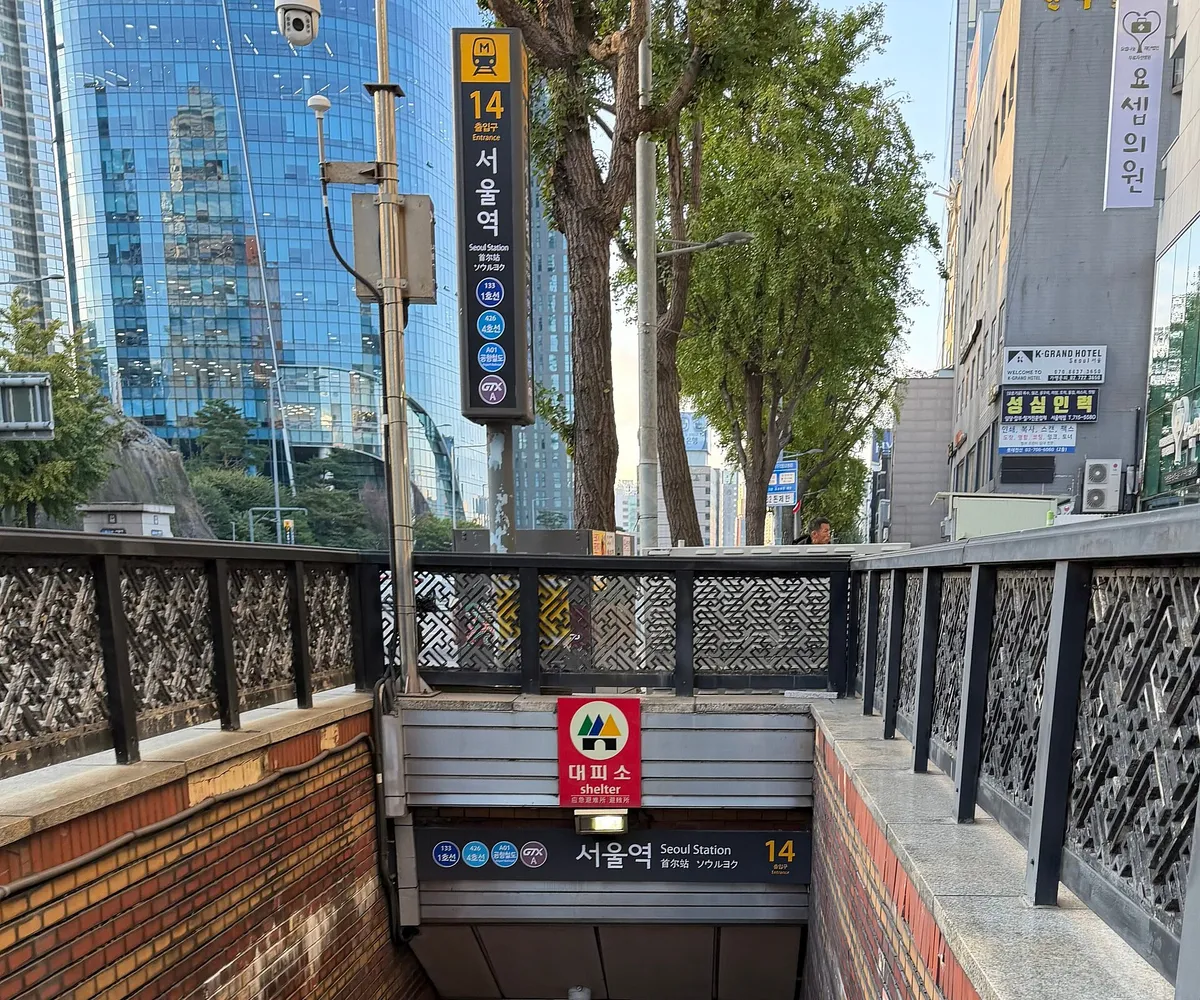
- Which station you board and where you get off: note the line color and number so you do not get lost inside the station.
- Which exit to take: Korean subway stations have a lot of exits, some well over ten. Check the exit number for your stop in advance.
- The get-off alert: the app description lists alerts for boarding and getting off. On a tired day when you might doze off on the train, switch it on.
Bus tips
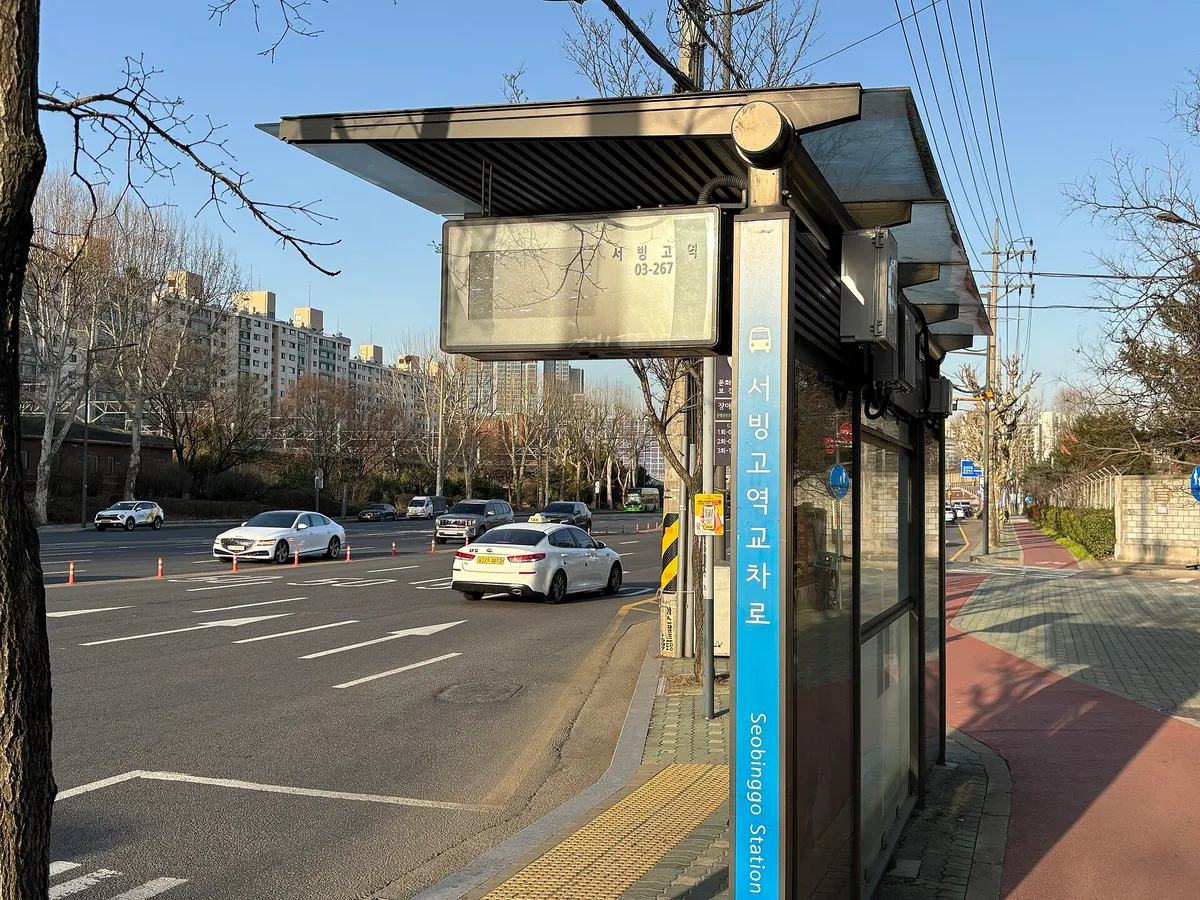
Inside Seoul, the bus is sometimes faster than the subway. NAVER Map shows bus routes too, and once you are used to it, it is very handy.
The most common mistake is boarding at the stop across the street. The stop has the same name, but the one opposite serves the other direction. In NAVER Map, tap the stop and check which side of the road it sits on before you walk over.
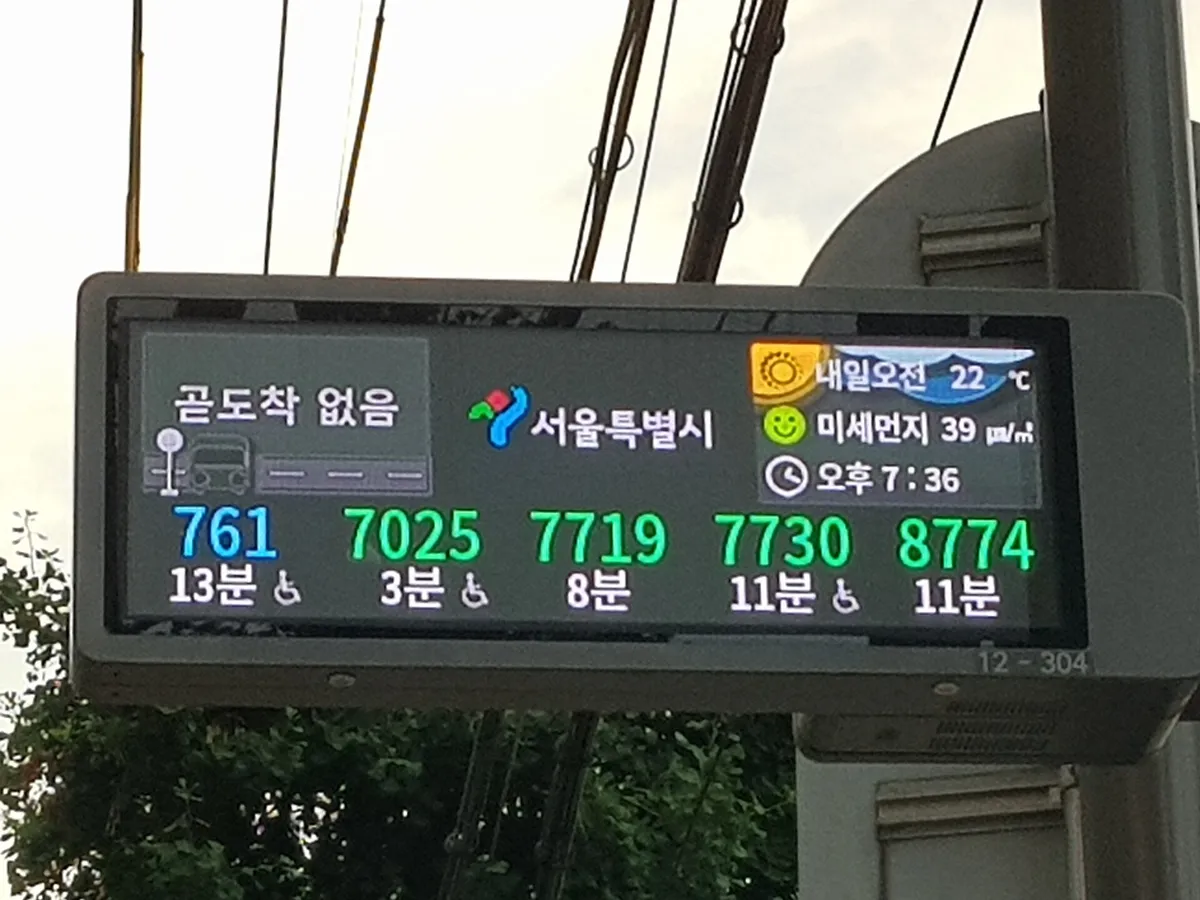
NAVER Map also shows how many minutes until the bus arrives, in real time. Most stops in Seoul have an electronic display with the same information, so you can cross-check it against the app.
Board through the front door and tap your card, then tap again on the reader by the rear door when you get off.
Korean words you will see on screens and signs
Even with the app in English, the signs inside stations and at bus stops are in Korean. Knowing these makes matching the app to the signs much easier.
| Korean | Reading | Meaning |
|---|---|---|
| 출구 / 출입구 | chul-gu / chul-ip-gu | Exit / entrance |
| 환승 | hwan-seung | Transfer |
| 정류장 | jeong-nyu-jang | Bus stop |
| 방면 | bang-myeon | Toward (direction) |
| 출발 / 도착 | chul-bal / do-chak | Departure / arrival |
| 막차 | mak-cha | Last train or bus |
| 급행 | geu-paeng | Express |
Booking with passport verification
NAVER Map has a booking tab that gathers the restaurants and services you can reserve through NAVER, from restaurants and hair salons to theme parks, one-day classes and train tickets (per the app description).
Booking and payment used to need verification with a Korean phone number, a wall for visitors. NAVER announced that from Jun 4, 2026, foreigners with a foreign passport can verify with their passport, then use booking, ordering and payment in NAVER Map. Verification happens on the phone by scanning the passport with the camera.
Summary
- In Korea, Google Maps handles subway and bus directions, but not walking or driving (checked Nov 11, 2026).
- NAVER Map is free and has an English interface. Switch the language in settings.
- On the route screen, check time, transfers and the exit number, then turn on the get-off alert.
- Buses: watch out for the stop across the street, and read 방면 for the direction.
- Since June 2026 you can book and pay through NAVER with passport verification.
Before you fly, install the app, switch it to English and test a route from your hotel to your first stop, and if anything is unclear, ask on the forum.
Frequently asked questions
Is NAVER Map free?
Yes. Download it from the App Store or Google Play. On iPhone it needs iOS 16 or later.
Does NAVER Map have an English version?
Yes. The App Store listing says the map comes in Korean, English, Japanese and Chinese, and voice navigation is in English (checked Nov 11, 2026).
Can I use it without a NAVER account?
Place search and directions work without logging in. Saving places, writing reviews and booking need a NAVER account.
Is Google Maps completely useless in Korea?
Place search and subway or bus directions still work. Walking and driving directions do not: when we tested on Nov 11, 2026, Google reported the route was outside its walking coverage area. The Korean government conditionally allowed Google to export map data in February 2026, but there is no announcement yet on when walking and driving directions will arrive.
I typed the shop name in English and nothing came up.
Try the Korean name (Hangul). The surest way is to copy the Korean name from the shop's social media and paste it in.
Sources
- App Store — NAVER Maps, Navigation (app description, supported languages, version), checked Nov 11, 2026 (English)apps.apple.com
- NAVER — Press release on passport verification for foreigners, June 2026 (Korean)navercorp.com
- NAVER — Guide to the English, Chinese and Japanese versions of NAVER Map, December 2024 (Korean)navercorp.com
- Newsis — NAVER Map translates user reviews into English, Chinese and Japanese, Oct 2, 2024 (Korean)newsis.com
- Google Korea — Q&A on Google Maps map data in Korea (Korean)blog.google
- AP — South Korea allows Google to export map data, Feb 27, 2026 (English)wtop.com
- Google Maps — Walking directions result, Myeongdong Station → N Seoul Tower, Nov 11, 2026 (tested by the editorial team)google.com
Comments and questions
Your experience can help the next traveler. Please leave out personal details such as phone or passport numbers.Community rules
No comments yet. Be the first.